Article contents
After reading a CV, some recruiters search for the candidate's name online, often on LinkedIn. They aren't necessarily hunting for a reason to reject you; they're checking that the person in the profile is the person on the page.
Your LinkedIn profile deserves as much care as your CV, but it isn't a copy of it, and treating it as one is where many people go wrong. (On terms: in the UK and Ireland "CV" is the standard word; in the US and Canada the same document is usually called a resume. This guide says CV throughout.)
LinkedIn profile vs CV: what each one is for
A CV is targeted, closed and dated. You write it for one application, save it as a PDF and send it. The reader knows why they have it in front of them.
An online profile is open, permanent and general. It gets read by people who didn't ask for it: a recruiter searching for candidates, a former colleague, a client, someone preparing to meet you. It has to work for several readers at once.
| CV | Online profile | |
|---|---|---|
| Purpose | Win an interview for a specific role | Be understood and found by varied readers |
| Reader | Recruiter, sometimes screening software | Recruiters, peers, clients, contacts |
| Focus | Rewritten for each job | General, with one clear emphasis |
| Length | One to two pages | Longer is fine if it scans well |
| Tone | Plain, factual, implied first person | Warmer, first person is normal |
| Updates | Every application | Whenever something really changes |
| Extra content | Only what matters | Projects, publications, recommendations, activity |
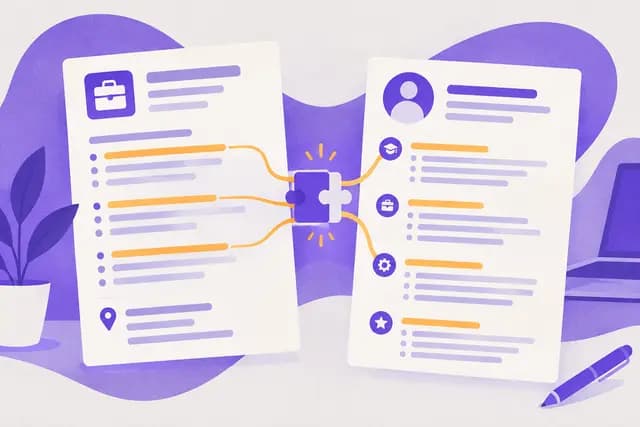
The short version: the CV selects, the profile shows. On a CV you cut whatever doesn't serve the application. On a profile you can keep more material, as long as it stays readable.
What to copy word for word
Some details are facts. You don't rephrase them; you copy them:
- Job titles and employer names
- Start and end dates, at the same level of precision
- Degrees, institutions and graduation years
- Languages and proficiency levels
- Certifications and the year you earned them
- Your location
If your CV says "Project Coordinator, March 2021 – June 2024" and your profile says "Project Manager, 2021 – 2023", you've created a question you didn't need to. Each version may have a reason behind it, but the reader doesn't know the reason.
A simple rule: anything that can be verified (title, employer, dates, qualification) should match everywhere. Anything that is storytelling (summary, choice of achievements) can differ.
What to tailor instead of copying
The headline
On a CV, the top line is often the target role: "Accounts Payable Specialist". It's focused, and you change it per job.
On an online profile, the headline is a short phrase that has to stay true for anyone who lands on it. Many people leave only their current job title there, which wastes the space. Add a specialism or a context.
- Before: "Accountant at Company X"
- After: "Accounts payable accountant · month-end close · manufacturing SMEs"
Avoid phrases that say nothing ("passionate about innovation", "open to opportunities"). A hurried reader should know in one line what you do and for whom.
The summary
The CV summary is a three-to-four-line pitch aimed at a role. Our guide to the CV personal statement and professional profile covers how to write it.
The profile summary can run a little longer and sound a little more human. First person is fine, and so is a sentence about how you work or what you're looking for. Keep the first two or three lines strong, though: they're often the only part visible before a reader clicks to expand.
An example of moving from one to the other:
- CV summary: "Recruiter with five years' experience in agency and in-house roles, specialising in technical hires. Seeking a position in a growing talent team."
- Profile summary: "I've been recruiting technical people for five years, first at an agency, then in-house. My job is to understand what the hiring manager actually needs, write an honest job ad and support candidates through to their first weeks. Happy to compare notes with other talent teams."
Same substance. Different tone and level of detail.
The achievements
On a CV each role keeps three to five bullets, chosen for the job you're applying to. On a profile you can keep more context, but the same discipline applies: an action verb, a scope, a result. For help structuring the lines, see our article on quantified results in CV experience.
- Before (CV): "Responsible for supplier orders"
- After (CV): "Processed 120 supplier orders a month and cut late deliveries by chasing vendors from day two"
- Profile version: same core, plus one sentence of context ("in a team of four, covering three production sites")
Never invent a figure to look impressive. If you don't have the number, describe the scope instead.
Why recruiters compare the two
Many recruiters, though not all and not every time, look at the online profile after reading the CV. What they want is simple: to confirm, not to discover.
What reassures them:
- The same employers, in the same order
- Dates that line up
- Job titles that are recognisable across both
- A tone that fits the CV
What raises a doubt:
- A role on the profile that's missing from the CV, with no obvious reason
- A stretch inflated on one side (a full year instead of a few months)
- A grander title online than on the contract
- A degree shown without its status (in progress, not completed)
These gaps rarely come from dishonesty: a CV updated in 2024, a profile left alone since 2021. But the reader can't know that and may read the mismatch against you.
A consistency doubt won't necessarily rule you out, but it may force you to explain yourself at interview. Better not to create it.
Aligning dates without tripping over them
Dates are the number one friction point. A few habits prevent most problems.
- Pick one format and stick to it. Month and year everywhere ("03/2021 – 06/2024" or "Mar 2021 – Jun 2024"), or year only everywhere. Mixing them looks vague.
- Update the end of each role. A "present" left on a job you quit long ago is the most common error.
- Declare overlaps. Freelance work done alongside a full-time job should be shown as such, in both places.
- Keep gaps consistent. If you explain a break on your CV, don't contradict it with different dates online. For ways to present those periods, see our guide to an employment gap on your CV.
- Read both side by side every time you edit one.
A short CV excerpt that matches an online profile:
Talent Acquisition Specialist, Delmas Group (Manchester), 03/2021 – 06/2024
- Ran around 40 hires a year across technical roles
- Shortened time to shortlist by introducing a structured phone pre-screen
- Delivered three structured-interview workshops for hiring managers
On the profile, the same role line should carry the same dates and title, even if two or three bullets are expanded into a paragraph.
What belongs on each
A split that works in most cases.
On the CV only:
- Targeting for a specific job
- Keywords from the posting, when they truly reflect your experience
- A controlled one- or two-page layout
On the profile only:
- Projects, articles or work that won't fit on a short CV
- Recommendations from colleagues or clients, if you have them
- Professional interests, and a photo if you choose
On both, identical:
- Roles, employers, dates, qualifications, languages
On photos, conventions vary by country and industry. On an online profile a photo is more common than on a CV, but it stays a personal choice.
When to put your profile link on the CV
A profile link belongs in the header, next to your email and phone number, when:
- The profile is up to date and consistent with the CV
- It adds something: projects, recommendations, publications
- Your field commonly uses online profiles (sales, marketing, consulting, tech, HR)
Leave it off if:
- The profile is empty, old or contradictory
- You haven't looked at it in a long time
- The posting asks for a CV only
Either way, use a short custom URL rather than a long string of characters, and check the link is clickable in the PDF. A dead or truncated link does more harm than no link. For file formats, see PDF or Word for your CV.
Common mistakes
- Pasting the whole CV into the profile. It reads as dense, awkward on a screen and too narrowly targeted.
- Leaving the profile nearly blank. Someone searching your name finds less than the CV promised.
- Using different job titles on each to sound more senior.
- Forgetting to update after a job change. The CV is current, the profile isn't.
- Editing the profile mid-application without touching the CV. The two drift apart.
- Writing the summary like a press release. Vague phrases such as "dynamic self-starter" tell the reader nothing.
- Skipping the proofread. A typo in your headline shows as much as one on the CV.
For a wider look at the slips that cost interviews, read CV mistakes that cost interviews.
A checklist before you apply
- Are job titles identical on the CV and the profile?
- Do start and end dates match, in the same format?
- Is your current role up to date in both?
- Are degrees and certifications the same?
- Does the profile headline say clearly what you do?
- Can the first three lines of the summary stand alone?
- Is the link short, clickable and working in the PDF?
- Are the tones of the two documents compatible?
- Did you re-read both on the same day?
Keep one source of truth
The easiest way not to drift: keep a master version, complete, with every role, date and achievement. The online profile is its general version. Each CV is a targeted version.
When you change jobs, update the master first, then both outputs. With the GoMyCV builder you keep your CV organised by section and can produce a version for each posting without starting over. If you're unsure which direction to take or how to frame your background, Career Match can help you clarify which roles fit your profile before you rework your documents. And to adapt the CV to each posting, our guide to tailoring your CV to a job posting shows the method.
Frequently asked questions
Should my online profile be identical to my CV?
No. The facts (roles, dates, qualifications) should match, but the profile can be more general, more personal and more detailed. The CV is tailored to a job.
Should I put my profile link on my CV?
Only if it's up to date and adds something beyond the CV. An empty or old profile hurts more than it helps. If you add it, make sure the link is short and clickable.
What if my dates differ between the two?
Fix them before you apply, using your contracts or payslips as the reference. If a difference remains for a good reason (parallel contract, extended assignment), state it clearly in both places.
Can I list more roles on the profile than on the CV?
You can for older roles unrelated to your target, but watch for apparent contradictions. If a role is missing from the CV for space, the gap is easy to explain; still, avoid leaving out anything significant.
How often should I update the profile?
Whenever something really changes: a new job, degree or certification. A quick read-through before each application is usually enough to catch inconsistencies.